WiFi Analyzer for Mac

Analyze the networks, channels, and signal strength around your Mac. WiFi Lens is a native macOS Wi-Fi analyzer — free and open source.

macOS 14+ · Native · Local-first · Free and open source

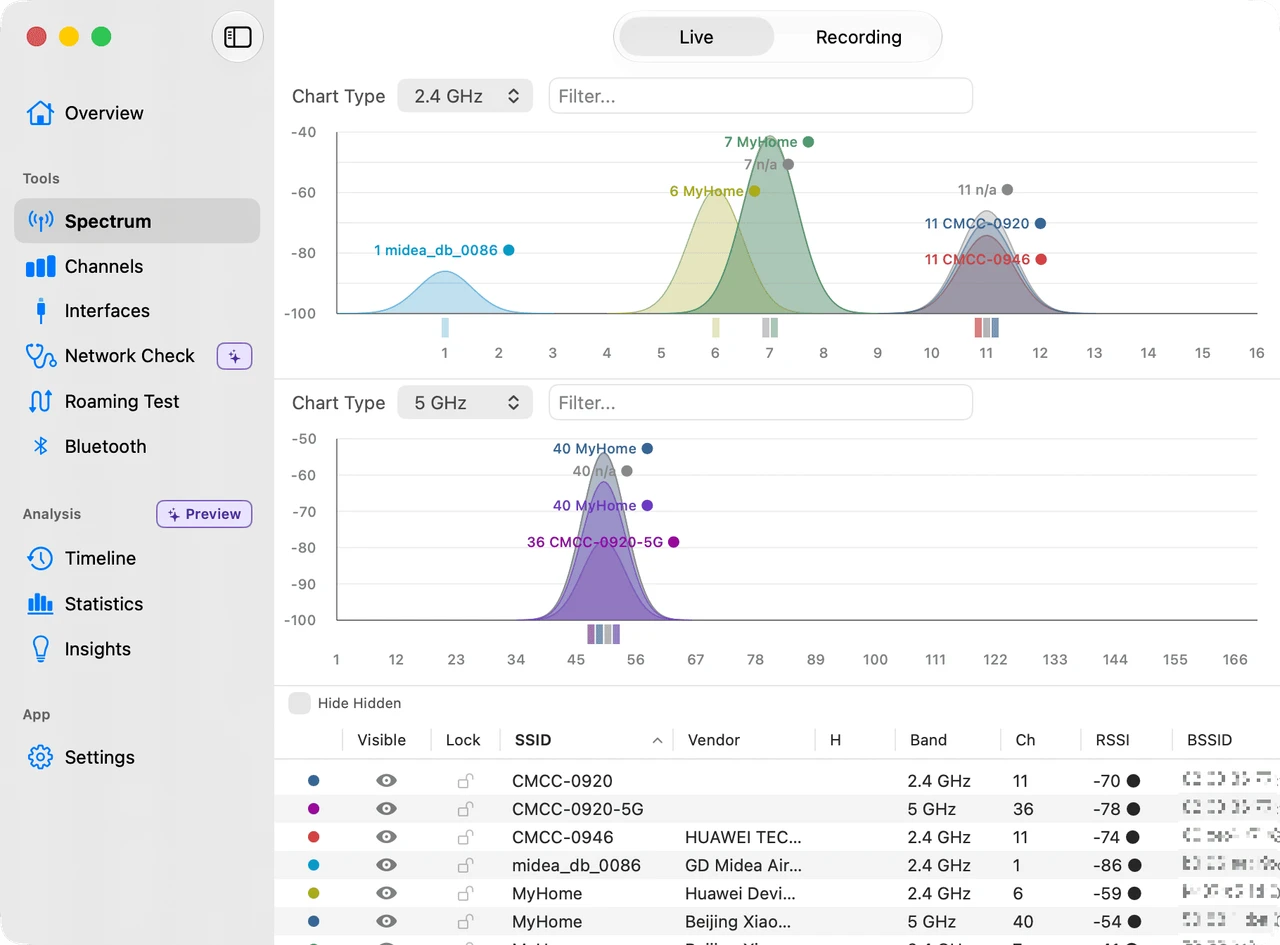
The WiFi Lens spectrum scanner on macOS, showing nearby Wi-Fi networks and how crowded each channel is

What can it do on a Mac?

Scan every nearby network

See every network around you across 2.4 GHz, 5 GHz, and 6 GHz, live.

See signal strength

Watch each network's signal strength update as you move around.

Analyze channel congestion

See at a glance which channels are crowded and which are clear.

Compare access points

Every nearby access point in one sortable table.

Verify roaming behavior

Follow a timeline of which access point your Mac connects to as you move.

When you would reach for it

"Wi-Fi feels slow"

Channel congestion is often the cause. Check the networks and channels around you with WiFi Lens.

"Which channel should I use?"

Compare how crowded each channel is in the spectrum scanner, then pick a cleaner one.

"I want to check 5 GHz or 6 GHz"

Scan every band at once and see what is occupying each one.

Free / Pro

Free (OSS)

  • Scan nearby Wi-Fi networks
  • Channel analysis
  • Network diagnostics
  • Local-first — nothing leaves your Mac
Download free on GitHub

Pro

  • Menu bar status monitor
  • Timeline event history
  • Statistics and Insights
  • Everything in the free edition
Buy on the Mac App Store

Why WiFi Lens

Native macOS

Built on Apple's CoreWLAN framework.

Lightweight

Runs on minimal resources.

Open source

The source is public and readable.

Privacy first

Your network data never leaves your Mac.

Common questions

Q: How do I analyze Wi-Fi on a Mac?
A: Download WiFi Lens and open it — it starts scanning the networks around you straight away. There is nothing to configure.
Q: Is there a Wi-Fi analyzer for macOS?
A: Yes. WiFi Lens is a native Wi-Fi analyzer for macOS 14 and later, available on the Mac App Store and as a free open-source build on GitHub.
Q: How do I check which Wi-Fi channel I am on?
A: Open the spectrum scanner in WiFi Lens to see every nearby network and the channel it occupies, live.
Q: Does WiFi Lens support 6 GHz?
A: Yes. WiFi Lens covers 2.4 GHz, 5 GHz, and 6 GHz, if your Mac hardware supports the band.
Q: Is there a free Wi-Fi analyzer for Mac?
A: Yes. WiFi Lens OSS is free and open source on GitHub, with no account, analytics, or telemetry. Pro adds the menu bar status monitor, Timeline event history, Statistics, and Insights.